Basics
The Particle Editor is used to create and edit the components a particle is made of:
The Inspector window is required to use this edit mode. Two tabs are shown for each of these components.
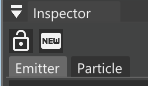 Inspector window in Particle Editor mode
The average workflow to create new particles is to first create a new Emitter and then the related Particle. When entering this edit mode, a temporary particle emitter is placed in front of the camera to conveniently be able to see any changes without having to place an emitter manually. This is removed once leaving the edit mode.
Emitter
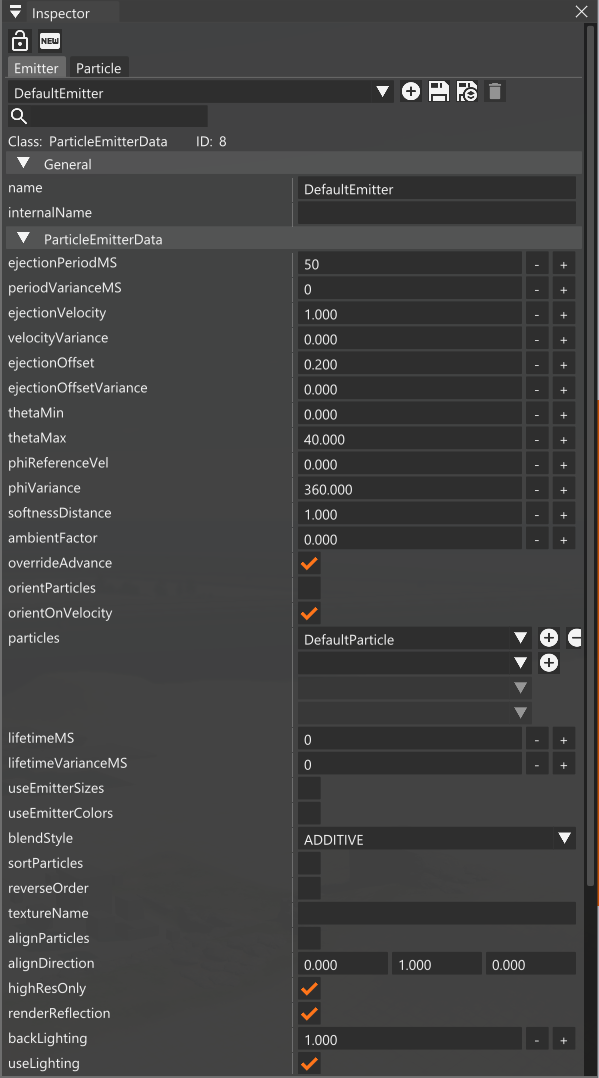
The Emitter is the object that fires the particles. In this tab you can find all the properties that determine its dynamics.
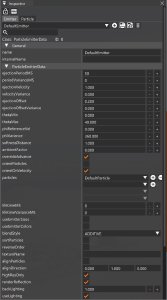 Emitter tab
At the top of this tab is a dropdown menu to select which emitter to display. To the right of this are the buttons to create a new emitter and save changes (either to its own file, or into the the current level’s folder)
Time between each particle ejection, in miliseconds
Randomize ejection period by this value, in miliseconds
Particle ejection velocity
Randomize ejection speed by this value
Distance along the emitter’s Z axis from which to eject the particles
Randomize the ejection offset by this value
Minimum and maximum angle on the horizontal plane to eject particles from
Angle on the vertical plane to eject particles from
Randomize angle on the vertical plane by this value
Distance at which the particles will be faded based on the distance between the particle and scene geometry
Amount of ambient lighting affecting the particle
If false, particles emitted in the same frame have their position adjusted to prevent clumping
If true, particles will be oriented to face the camera
If true, particles will be oriented in the direction they are moving
Particle datablock the emitter will use. Only one datablock is officially supported
Lifetime of each particle (from spawn to removal), in miliseconds
Randomize the particle’s lifetime by this value
If true, the particle’s size will depend on the emitter’s scale
If true, the particle’s color will depend on the emitter’s color
Blend mode to use for the particle
If true, particles are sorted from furthest to nearest
If true, particles are rendered from oldest to newest
Optional texture to use for the particle, will override the texture set on the particle
If true, particles will be oriented toward the direction set in the alignDirection property
Defines a direction particles should allign with, if alignParticles is enabled
If disabled, particles are drawn at half resolution. Disabling this could decrease performance for large amount of particles
If true, particles will appear in water’s dynamic reflections
Amount of backlight the particle receives
Enable dynamic lighting on the particle
Particle
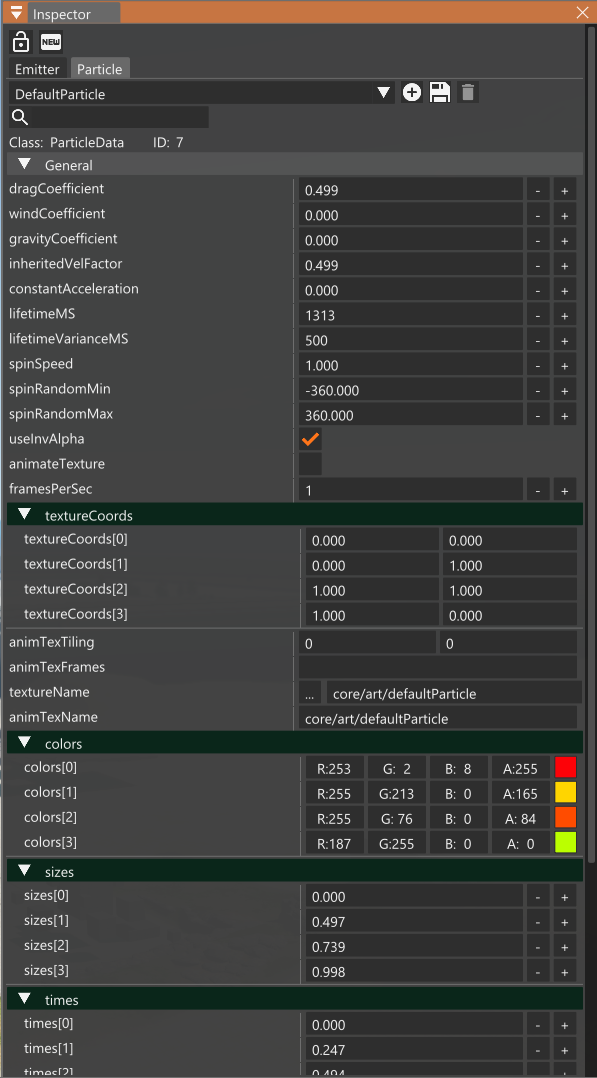
In this tab you can find all the properties that determine the particles’ dynamics.
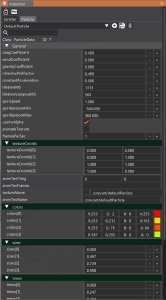 Emitter tab
At the top of this tab is a dropdown menu to select which particle to display. To the right of this are the buttons to create a new particle and save changes.
Amount of physical wind effect
Amount of physical gravity effect
Amount of emitter velocity to add to the particle
Constant acceleration to apply to this particle
Lifetime of each particle (from spawn to removal), in miliseconds
Randomize the particle’s lifetime by this value
Speed at which to spin the particle
spinRandomMin/spinRandomMax
Speed range to use for spinSpeed
If false, particles will use the additive blend mode. Can be overriden by the blendStyle property of the emitter
If true, particle texture can be animated by a sprite. Not officially supported
Framerate of animateTexture
Defines the UV coordinates for the particle’s texture mapping. Use, for example, if the texture contains multiple particles packed together
Texture to use for the particle
Animated texture to use for the particle (if animateTexture is enabled
Colors to use for the particle at given times
Size to use for the particle at given times
Time keys used for the colors and sizes properties