Roads and drivable surfaces
This section is dedicated to the road systems and drivable surfaces, their materials, topology, and integration with terrain.
3.1 Core concepts
- DecalRoad projects road surfaces, road lines, road edges, road details and all the major elements that can be found over terrain surface. Suited to most roads.
- Decals provide high‑frequency detail such as markings, dirt, cracks, and patches.
- MeshRoad generates geometry; suited to bridges, overpasses and complex cross-sections.
- Ground behavior is governed by groundmodels through material assignments. The available groundmodels can be consulted through the top menu: Window > Debug > GroundModel Debug.
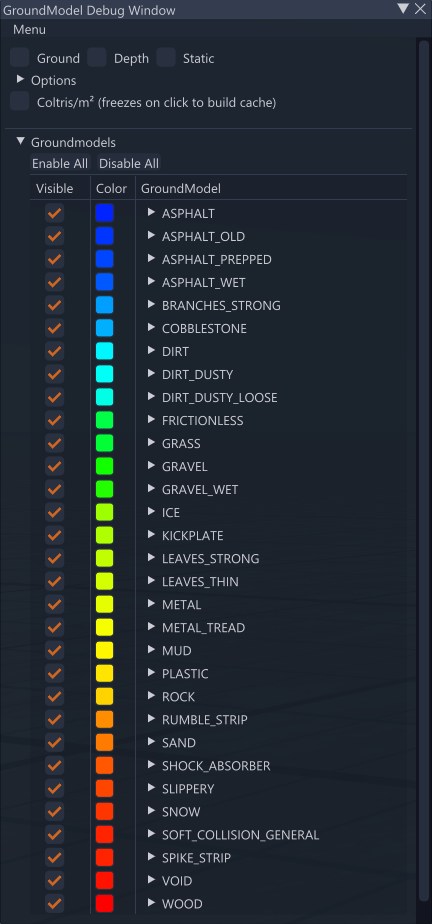
3.2 Main requirements and conventions
- Decalroads
- layed down by pressing
ALT+LMBon a surface to place decalroad spline nodes
- layed down by pressing
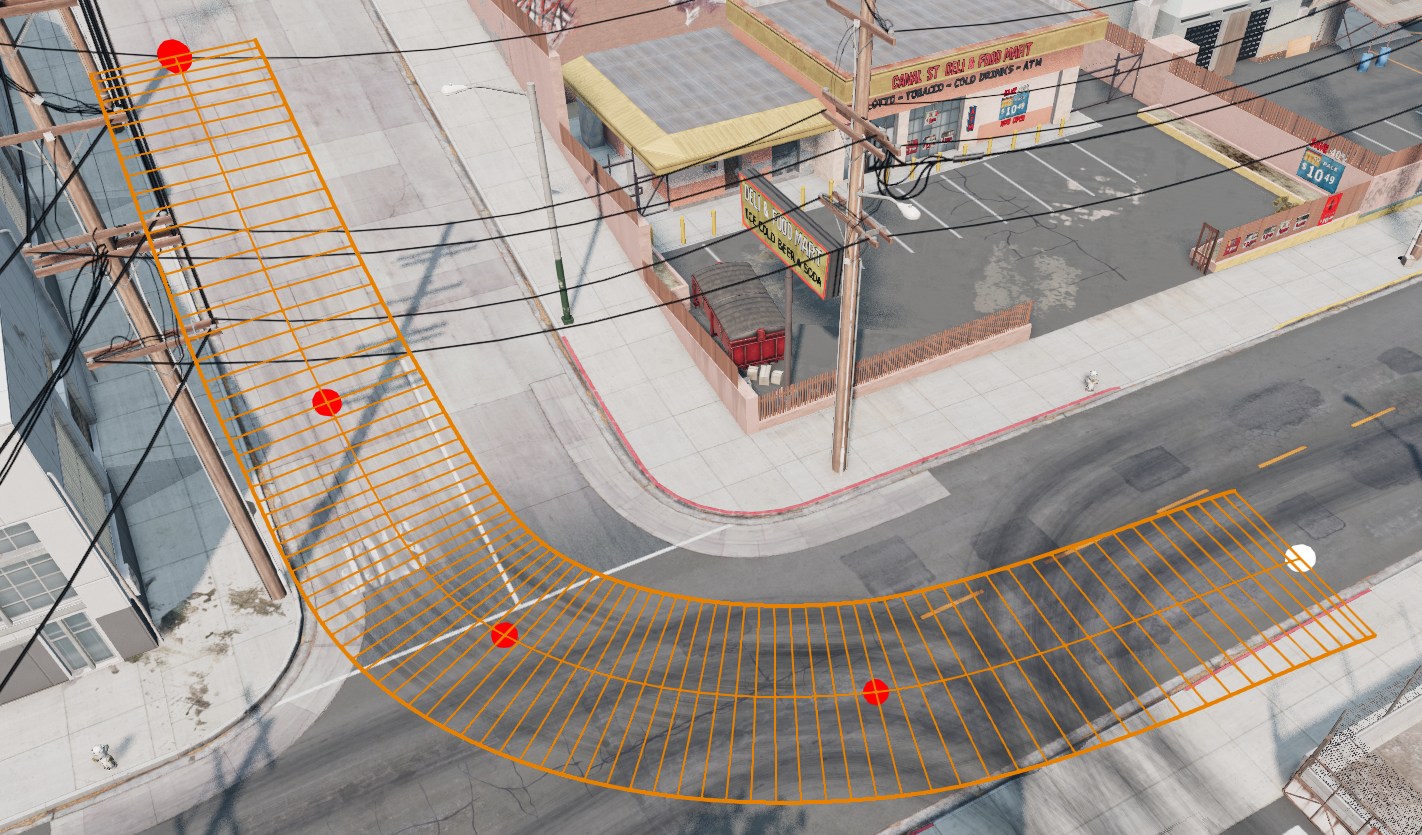 Placing a DecalRoad with spline nodes
- Decals
- placed through Decal editor by selecting a material from the Templates list
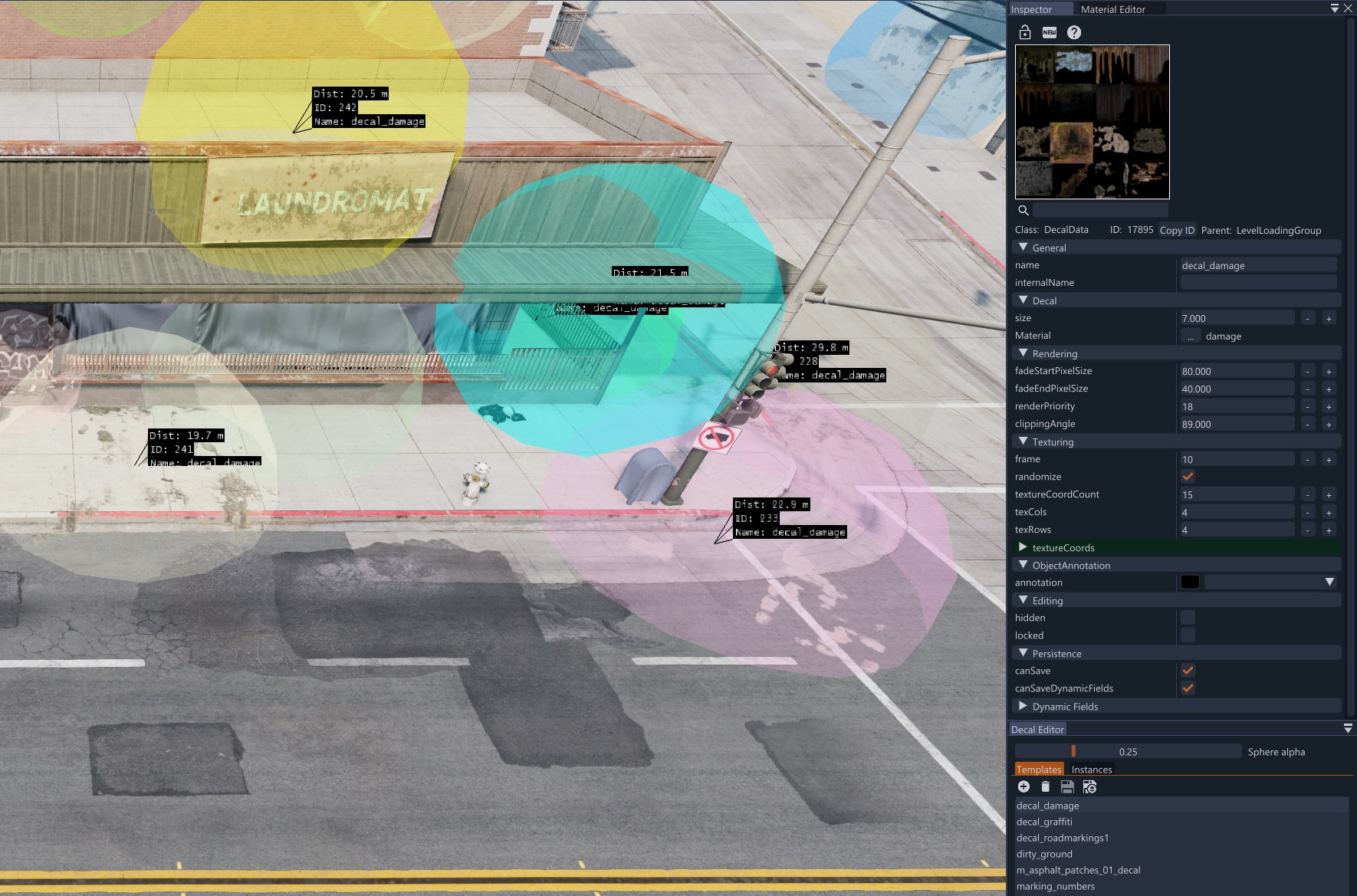 Decal editor with material templates
- Maintain coherent lane widths, curvature radii, and camber appropriate for the road type. Use Road Architect for road networks, profiles, junctions, and terraforming, or the Road Spline Tool for layered spline-based road surfaces
- Use consistent road and shoulder materials and ensure their groundmodels map to the intended driving behaviour
- Keep spline node counts efficient; subdivide only where additional control is needed
- Control coplanar overlaps through the
renderPriorityparameter in the Inspector. This prevents flicker at intersections and transitions - Enable
overObjectsto project DecalRoads onto static meshes
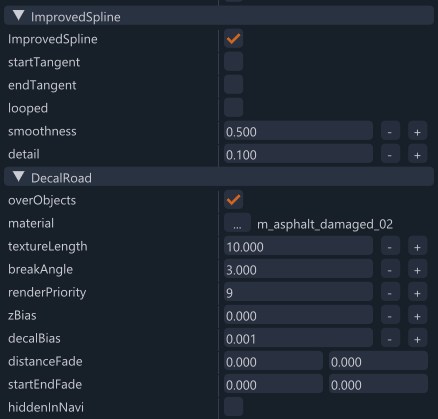 DecalRoad placed over a static mesh using overObjects
3.3 Intersections and transitions
- Align segments cleanly to avoid gaps
- Use decals for markings, patches and joints
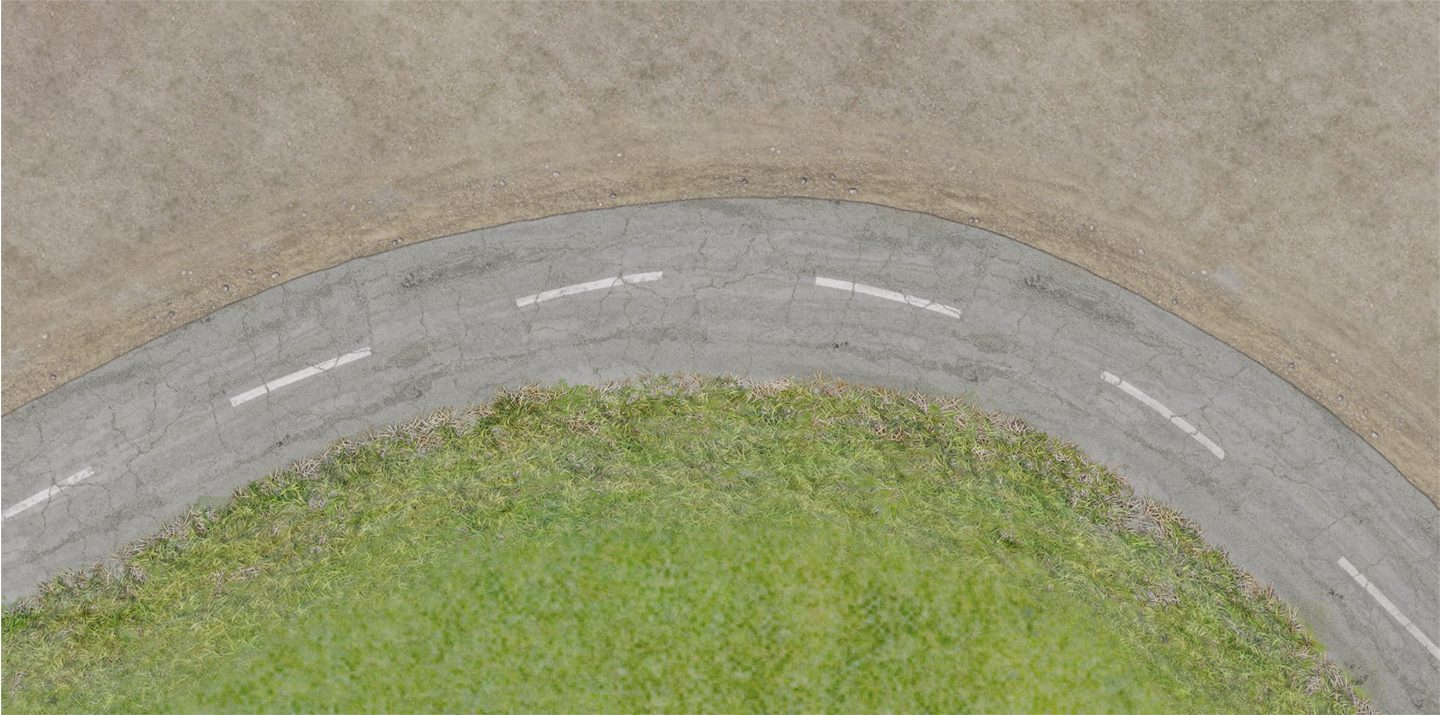
- Blend road edges into adjacent terrain materials (e.g., gravel shoulders)
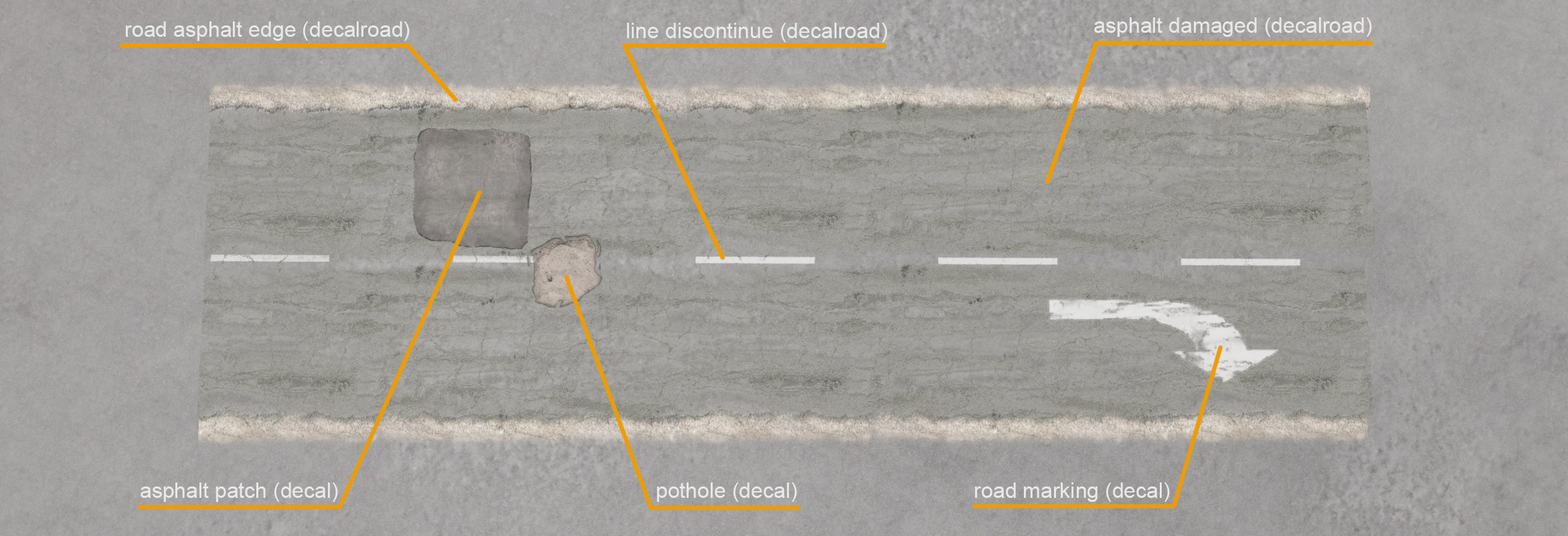 Decalroads and Decals layout example
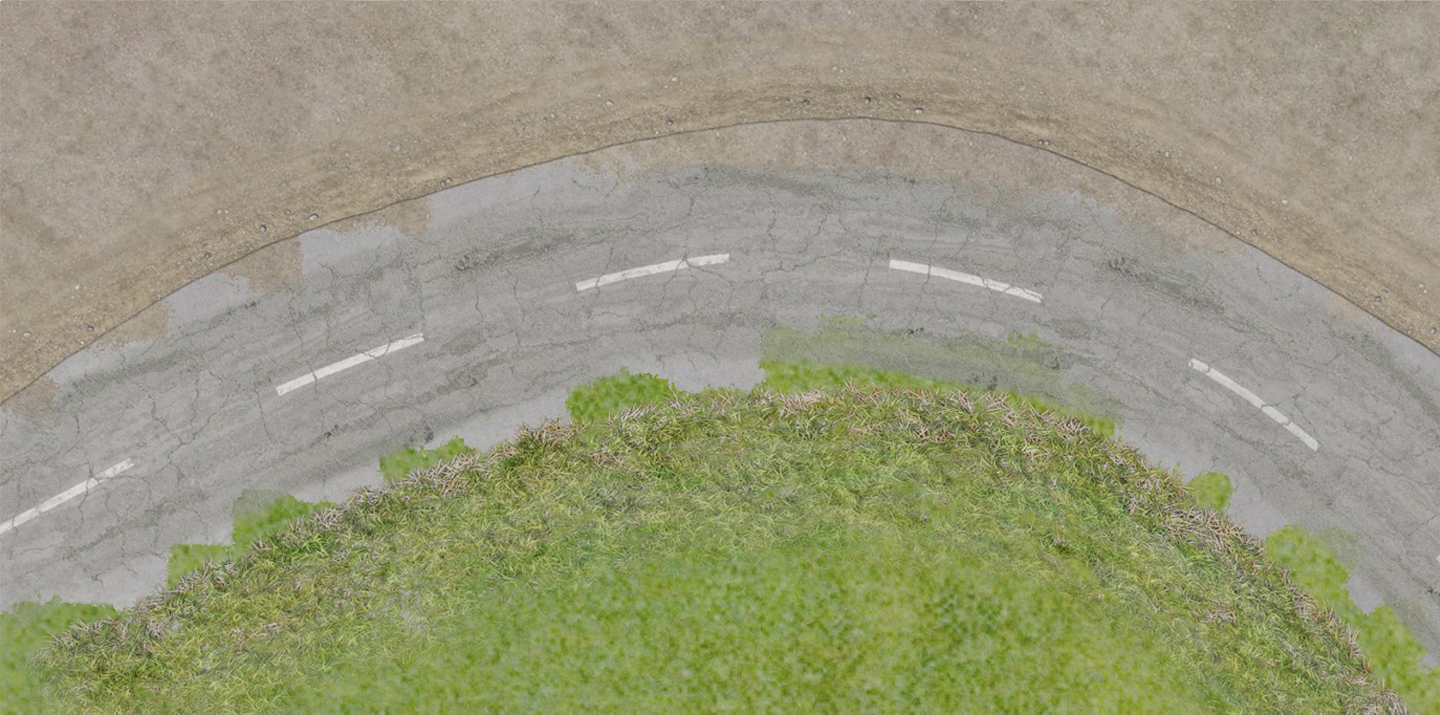 Decalroads not properly blended
3.4 MeshRoad specifics
- Top/side/bottom materials of a meshroad can be defined in the inspector
- Ensure collision is continuous across spans (bridges, elevated segments)
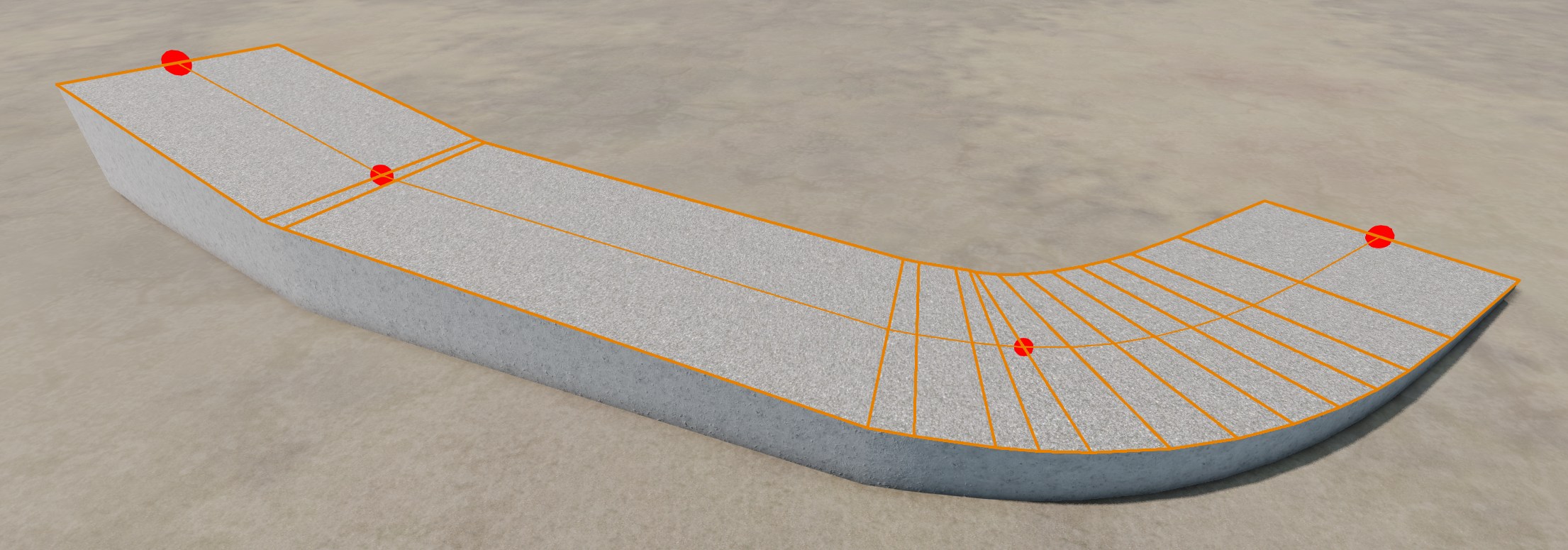 Top and side material assigned to a meshroad through Inspector window
3.5 Performance guidance
- Prefer material reuse for roads and markings.
- Keep decal counts reasonable; atlas decals where possible to reduce state changes.
- Minimize unnecessary spline nodes; maintain smooth curvature to reduce editing complexity
3.6 Data locations
- Road materials and decals:
/art/roadsand/art/decals. References inmain.materials.json
3.7 Common issues
- Z‑fighting at intersections from stacked decals and decalroads that has the same renderPriority
- Abrupt width or camber changes affecting handling
- Inconsistent material assignments between connected segments
See also: Decals , Groundmodels , DecalRoad class , MeshRoad class .
Last modified:
July 23, 2026
Was this article helpful?